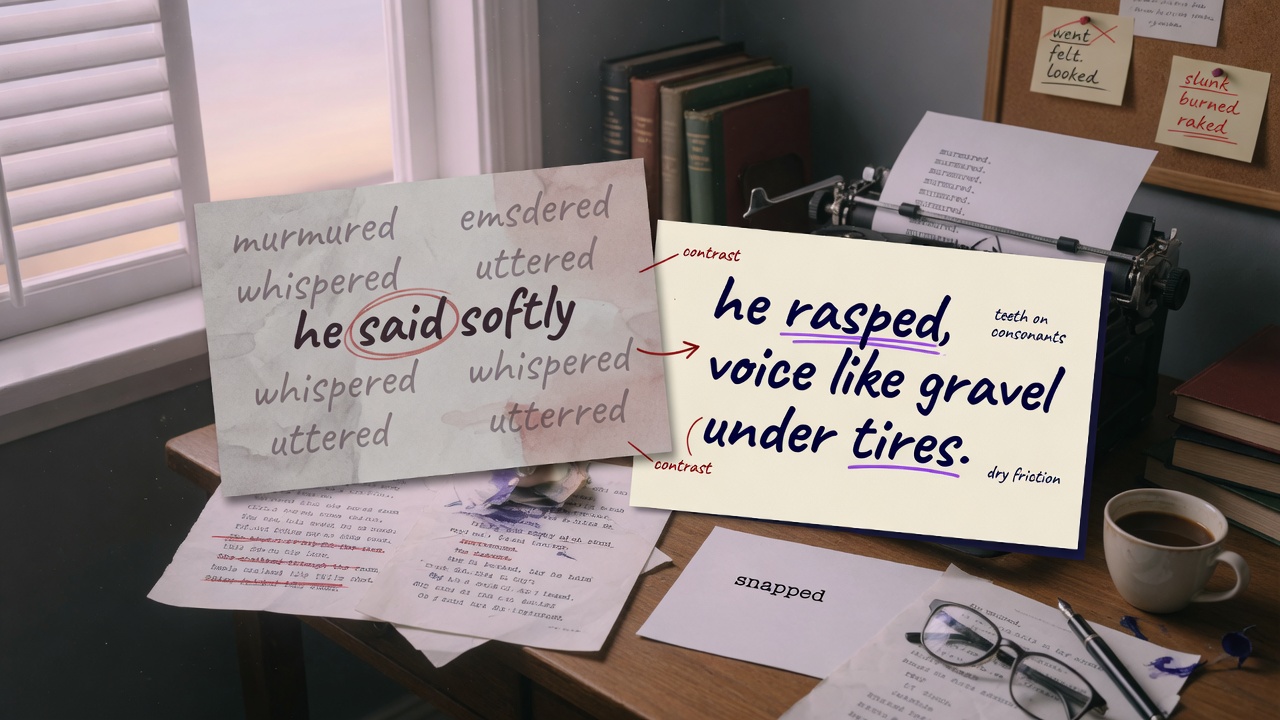
The Problem With "Use Stronger Verbs"
Type "make the verbs stronger" into a chat box and watch what happens. The AI swaps "walked" for "strode," "said" for "murmured," and calls it done. Sometimes it goes overboard and every character starts "hissing" their dialogue, even when they're just asking about the weather. The instruction was clear enough to you. It just wasn't clear enough to the model. Here's the thing nobody tells you: "strong verb" isn't a fixed category. It's relative to voice, genre, and even the specific sentence around it. "Strode" is strong in a quiet literary scene and cartoonish in a hardboiled noir chapter where everyone just "walks" because the prose is supposed to feel flat and clipped on purpose. When you tell an AI to strengthen word choice, you're asking it to guess at a standard that lives entirely in your head. It has no reference point, so it reaches for the nearest cliché — usually a thesaurus-adjacent synonym that technically fits the request but misses your actual taste. This is the same failure mode you see when people try to edit a book with AI using vague instructions across the board. "Make it more vivid," "add more tension," "tighten this up" — these all sound like direction but function more like vibes. The model fills in the blank with whatever's statistically common in its training data, which tends toward the same handful of overused intensifiers. You end up with prose that's technically "stronger" and somehow still generic.
An AI can't match a standard it's never seen demonstrated. Telling it what to avoid is weaker than showing it the exact distance between weak and strong.
The Contrastive Pair Method
Instead of describing your standard, show it. A contrastive pair is two versions of the same sentence — one flat, one revised the way you'd actually want it — placed side by side so the model can measure the gap itself. You're not explaining the rule. You're giving it a worked example and saying "do that." This works because language models are pattern-matchers first and rule-followers second. Give a model an abstract instruction and it has to translate that into a pattern on its own, usually badly. Give it a concrete before/after pair and it can extract the actual transformation — the kind of specificity you added, the rhythm you preferred, the sensory detail you chose to include instead of a generic emotion word — and apply that same transformation elsewhere. A basic contrastive pair prompt looks like this:
Here is a sentence I consider too flat, followed by how I revised it:

WEAK: She was scared and walked quickly to the door.
STRONG: Her pulse jumped. She crossed the room in four strides, key already in her fist.

Notice what changed: no emotion-naming ("scared"), a physical detail instead ("pulse jumped"), a concrete number for pacing ("four strides"), and an action that implies forethought ("key already in her fist") rather than a generic adverb ("quickly").

Now apply this same standard to the next five sentences in the attached scene. Show me weak/strong side by side so I can approve each change before you rewrite the full passage.
Notice that last line: the prompt asks the model to show its work before touching the whole scene. That step matters. It turns editing into a conversation instead of a gamble, and it lets you catch a misread standard after one sentence instead of after twelve paragraphs.
Building a Contrast Library From Your Own Edits
The real power of this technique shows up once you stop inventing new pairs every session and start collecting them. Every time you edit an AI draft and tighten a sentence, you've just created a training example for your own voice. Save it. Over a few chapters you'll have a small library of weak/strong pairs pulled directly from your own manuscript — not generic writing-advice examples, but your actual patterns. This is worth treating as seriously as your story bible. A story bible keeps plot and character facts consistent; a contrast library keeps your prose style consistent. Keep it in a doc, a note, or paste it straight into your project notes inside Entangled Text. When you start a new scene, feed the model three or four pairs from the library before you ask for anything else. A simple structure that works well:
- Category tags — group pairs by what they fix: "emotion-naming," "weak dialogue tags," "generic sensory description," "filter words." If you've read about filter words before, you already know how much cleaner prose gets once "she felt," "she saw," "she noticed" disappear — a contrast pair showing the before/after of removing a filter phrase teaches this instantly.
- Source note — where the sentence came from, so you remember the context (quiet scene vs. action scene) and don't apply an intense revision style somewhere it doesn't belong.
- Two or three pairs per category — one is a fluke, three is a pattern the model can actually generalize from.
Once you have ten or fifteen solid pairs, you're not writing prompts anymore — you're maintaining a style reference the same way you'd maintain a Series Bible Template for continuity facts. It becomes reusable across every chapter and, if you're consistent, across every book in a series.
Prompt Examples for Different Scales
Single-Sentence Contrast
Use this when you're spot-fixing individual lines during a revision pass, especially the kind of pass described in The Five-Pass Revision Order for AI-Assisted Novels where you're hunting sentence-level weakness rather than structural problems.
Weak: The room was messy and smelled bad.
Strong: Fast food wrappers crusted the floor, and something in the sink had gone sweet and rotten.

Using that same shift — from summary statement to two specific, sensory details — rewrite this sentence: "The market was crowded and loud."
This works because you're isolating one specific move: replacing a summary adjective with two concrete, sense-based images. Narrow scope means the model can't drift into unrelated changes like altering tone or adding dialogue you didn't ask for.
Paragraph-Level Contrast
Once single sentences behave, scale up to a full paragraph so the model learns pacing and rhythm, not just word swaps.
WEAK PARAGRAPH:
He was angry when he got the letter. He read it twice and then threw it on the table. He didn't know what to do next.

STRONG PARAGRAPH (my revision):
The letter took him two readings to believe. Both times, the same sentence — his name, his father's handwriting, the word "disowned" — sat there refusing to soften. He put it down on the table like it might still be hot. Then he sat in the kitchen for eleven minutes doing absolutely nothing, because for once in his life he had no idea what came next.

Apply this same density of specific detail and internal beat-by-beat pacing to the following paragraph from Chapter 4, where Mara reads the eviction notice. Keep the paragraph roughly the same length — don't pad it, just replace vague statements with concrete ones the way I did above.
The instruction to keep length roughly the same is doing quiet work here — without it, models tend to "improve" a paragraph by simply making it longer, which isn't the same thing as making it stronger.
Genre-Specific Contrast Sets
Word-choice standards shift hard between genres, so a contrast set built for literary fiction will actively hurt a LitRPG manuscript, and vice versa. If you're doing LitRPG writing, your "strong" version might intentionally keep some mechanical, stat-block language because that's genre voice, not weakness. If you're working in romance, the contrast pairs should skew toward interiority and physical awareness between characters — the kind of detail the Romance Beat Sheet: Where AI Drafts Usually Break guide points out AI drafts often flatten into generic "his heart raced" filler.
These pairs define my standard for romantic tension in this manuscript. Study the shift, then apply it consistently:

WEAK: He was attracted to her and tried not to show it.
STRONG: He kept his eyes on the menu a half-second too long after she spoke, cataloguing the fact that he'd have to order something to justify staring at it.

WEAK: She felt nervous around him.
STRONG: She'd rearranged the same three sentences in her head twice before he even sat down.

Now revise the café scene (pasted below) so every moment of romantic awareness follows this same rule: no naming the emotion directly, show it through a specific small behavior instead.
This kind of genre-locked contrast set is also useful if you're building out a fantasy manuscript and need magic descriptions to stay grounded — pair it with the constraint-based thinking in Fantasy Magic Systems: Constraints AI Will Respect and you get prose that's both vivid and internally consistent, instead of vivid and chaotic.
Scaling Across a Full Chapter Without Repeating Yourself
The obvious problem: pasting three contrast pairs before every single prompt gets exhausting fast, especially across a full manuscript. The fix is to treat your contrast library like a standing instruction rather than a one-off explanation. If you're working inside a platform built for long-form fiction, this is where project-level context earns its keep — paste your contrast pairs once into persistent notes and reference them by name in every subsequent prompt instead of re-pasting the examples each time. This is one of the real differences worth understanding if you're comparing Entangled Text vs ChatGPT for long projects — a chat window forgets your standard the moment the context scrolls away, while a project built around persistent story and style memory doesn't. A scaling prompt for a full chapter pass might look like this:
You already have my weak/strong contrast pairs saved in this project's style notes (see "Prose Voice Standards"). Apply that same standard to all of Chapter 7 — not just dialogue tags, but description, internal thought, and action beats.

Go paragraph by paragraph. For any sentence you change, keep a running list at the end titled "Changes Made" so I can scan it quickly instead of re-reading the whole chapter to spot edits. Do not add new plot content or dialogue — this is a word-choice pass only, not a rewrite.
That last constraint — word-choice pass only — keeps the model from wandering into structural changes when you just want prose tightened. It's the same discipline behind the five-pass approach: separate concerns so you're never fixing plot and prose in the same breath, and you're never surprised by an AI that "improved" your ending while you were only asking about verbs. Once a chapter's done, run it through something like Manuscript Diff to see exactly what changed line by line — useful for confirming the model actually followed your contrast standard and didn't quietly drift back into generic language halfway through. If you're prepping the manuscript for release afterward, that same discipline carries into the KDP Upload Checklist After an AI-Assisted First Draft, where consistent prose quality across chapters actually gets checked by beta readers before it ever reaches retail. Worth noting: this technique compounds. The contrast pairs you build in chapter one keep teaching the model in chapter twenty, and if you're running a series, they carry over book to book. Combine that with a solid AI book outline and a maintained story bible, and word choice stops being something you fight chapter after chapter — it becomes infrastructure, the same as your character sheets and your plot beats. Check your best AI models for writing notes too, since some models hold onto style instructions across long contexts far better than others, which matters more here than almost anywhere else in the drafting process.
The Takeaway
Stop telling the AI what "stronger" means and start showing it. Pick three sentences you've already hand-revised from your own manuscript, format them as weak/strong pairs, and paste them into your next prompt before asking for any edits. Save those pairs somewhere permanent — a project note, a doc, a section in your style guide — and reuse them every session instead of re-explaining your taste from scratch. The gap between your weak and strong version is the instruction. Once the model can see that gap clearly, it stops guessing and starts matching it, sentence after sentence, chapter after chapter.