Scene drift is probably the most frustrating thing about writing fiction with AI. You set up a tense confrontation between two characters — say, a woman who knows her husband has been lying about where the money went, and a husband who thinks he's buried it well enough — and three exchanges later the AI has them reminiscing about their honeymoon, or suddenly a neighbor knocks on the door, or the whole thing resolves itself in a tidy emotional breakthrough that you absolutely did not ask for.
The AI didn't break. It did what it's trained to do: follow narrative momentum toward resolution. The problem is that unresolved tension is the engine of a scene, and AI wants to fix things. It wants closure. It wants the scene to arrive somewhere. And if you haven't explicitly told it where "somewhere" is not, it'll get there on its own.
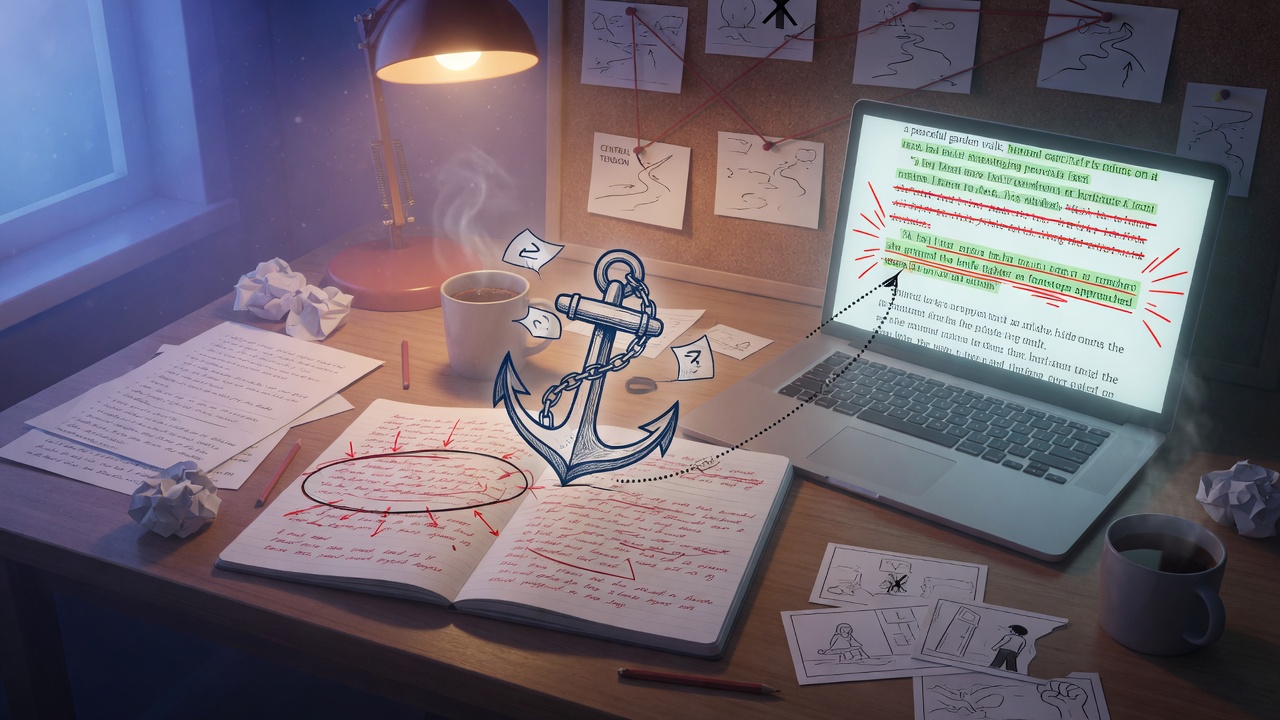
Anchor prompting is the fix. It's a technique where you write a single declarative statement — one sentence that names the scene's central tension — and you embed it persistently across your prompting session so the AI can't drift away from it. Not a summary of the scene. Not a character bio. One sentence that says what the scene is about* at its friction point, and keeps saying it.
What Anchor Prompting Is and Why Scene Drift Happens
Think about how a multi-turn drafting session actually works. You send a prompt, the AI generates a passage, you respond with a follow-up, it generates more. Each exchange is technically a new input, and while the AI has access to the conversation history, it's weighting recent context more heavily than earlier context. By turn four or five, your original scene setup is getting diluted. The AI is pattern-matching against what's closest in the conversation, not what you care about most.
This is why you'll ask for "the next beat of the argument" and get a paragraph where one character suddenly softens and apologizes. The AI saw emotional dialogue, it pattern-matched toward how emotional dialogue typically resolves, and it resolved it. Clean. Tidy. Wrong.
Anchor prompting works by injecting a short, declarative tension statement into every prompt — or into a persistent system instruction — so the model always has an explicit constraint on what the scene is not allowed to do yet. It functions like a stage direction that never leaves the room: the characters can move, speak, lie, or cry, but they can't exit through the door you haven't opened.
The anchor doesn't describe the scene. It names the live wire running through it — the thing that must stay unresolved for the scene to keep its electricity.
How to Write an Effective Tension Anchor Statement
This is where most people go wrong when they try this technique for the first time. They write something like: "The tension is that these two characters don't trust each other." That's a relationship description, not an anchor. It's too vague to constrain anything.
A good anchor statement has three components: a specific want, a specific obstacle, and a prohibition on resolution. And it fits in one sentence.
Here's the difference in practice:
- Weak anchor: "The tension is that Marcus and Delia have a complicated relationship."
- Weak anchor: "There is conflict between the two characters about trust."
- Strong anchor: "Marcus needs Delia to sign the papers before she finds the voicemail, and she is two minutes away from finding it — this scene ends before she does."
- Strong anchor: "Yusuf knows the inspector is lying about the alibi, but cannot say so directly without revealing he was there — this tension must remain unspoken and unresolved."
See the difference? The strong versions name a concrete want, a concrete obstacle, and they include an explicit instruction about what cannot happen. That last clause — "this scene ends before she does," "must remain unspoken and unresolved" — is doing a lot of work. It tells the AI where the finish line isn't.
Write your anchor before you write anything else. Before character notes, before setting description, before your first prompt. Get the sentence right. It should feel a little uncomfortable — like you're tying your own hands — because that's exactly what it's doing. You're constraining the scene's possible futures, and that constraint is what keeps the tension alive.
Where to Place the Anchor in System vs. User Prompts
If you're using a platform with a system prompt field (a persistent instruction that sits above the conversation), put the anchor there. This is the highest-weighted, most durable placement. The model reads the system prompt on every turn, which means your anchor is always present no matter how far into the session you get.
Your system prompt for a scene-drafting session might look like this:
You are a fiction co-writer helping draft scenes for a literary thriller. For this session, maintain the following scene anchor at all times: ANCHOR: Nadia needs to get the USB drive out of the apartment before her sister arrives and sees it, but she cannot leave without explaining why — this tension must not resolve. Do not write Nadia leaving successfully, discovering a workaround, or the sister's arrival being delayed. Keep the scene in the space of mounting pressure and incomplete action.The explicit list of "do not write" items at the end is optional but powerful. If you know the specific escapes the AI tends to reach for — the convenient delay, the sudden solution — you can block them by name.
When you're on a platform without a system prompt field, or when you're mid-session and need to reintroduce the anchor, you drop it into your user prompt as a bracketed prefix. Like this:
[SCENE ANCHOR: Tomás suspects the letter is forged but needs his father to confess without being pushed — the scene must not resolve this suspicion.] Continue the scene. Tomás has just picked up the letter from the table. Write his internal reaction and his next line of dialogue. Keep his suspicion hidden. His father is watching him from across the room.The bracket signals structure. It separates the constraint from the instruction, making it easier for the model to parse both. Don't bury the anchor inside a paragraph of context — it'll get weighted like everything else and won't hold.
One practical note: on Entangled Text, you can use the scene notes or context fields to store your anchor statement and reference it across turns. Treat it like a sticky note pinned above your workspace. Every time you're about to send a follow-up prompt, glance at it. If your prompt doesn't include or reference the anchor, add it back in.
Chaining Follow-Up Prompts Without Losing the Anchor
The anchor gets you started. Keeping it is the ongoing work.
The most common mistake is writing follow-up prompts that respond only to what the AI just gave you, without re-anchoring. You read the AI's output, you like the dialogue, you write "great — now write the next paragraph where she moves toward the window." Clean, simple, and completely unmoored from your tension constraint. By turn three, you've got a scene about a woman looking at a view.
The solution is to build a follow-up prompt structure that has two parts: a short re-anchor and a specific next beat. You don't need to paste the full anchor every time — a compressed version works fine after the first few turns, as long as you've established it clearly upfront.
Here's what that looks like in practice:
[Anchor: Nadia cannot leave without explaining — tension unresolved.] She's at the window now. Write the moment her sister's car pulls into the driveway. Nadia sees it. Keep her movements small and controlled. She should not make a decision yet — just register the pressure. Three to four sentences.Notice what the specific next beat is doing: it's not just "write more." It's scoping the output tightly. "Three to four sentences." "Her movements small and controlled." "Should not make a decision yet." Each of these is a micro-constraint that supports the anchor. You're not just preventing resolution at the macro level — you're preventing it at the sentence level by being specific about what kind of action the AI should write.
Every follow-up prompt should make the AI's job harder in exactly the right way: more pressure, same unresolved core.
If you notice the AI starting to drift — if it writes a line where a character suddenly finds a solution, or the scene's mood shifts toward relief — don't just continue. Stop, name the drift explicitly, and re-anchor hard:
[Reanchoring — previous output drifted toward resolution.] [Anchor: Nadia cannot leave without explaining — tension must not resolve.] Disregard the last paragraph where she decides to hide the drive in her coat. Rewrite from the moment she sees the car. She is not yet making a plan. She is still caught. Write the physical experience of being stuck — her body, not her thoughts.Naming the drift ("previous output drifted toward resolution") is useful because it signals to the model what error it made, which genuinely helps it self-correct. Don't be polite about it — be precise.
Four Prompt Examples Across Different Scene Types
1. Domestic Suspense — What One Spouse Knows
[SCENE ANCHOR: Ellen knows the insurance claim is fraudulent, and her husband is about to ask her to sign it — she cannot confront him directly without destroying their cover story, and this scene ends before she signs or refuses.] Write the kitchen scene. It's morning. Coffee is brewing. Ray slides the papers across the table without looking at her. Write Ellen's physical response — her hands, her face — and her first line of dialogue. She is not ready to act. She is still deciding what kind of woman she is. Keep the papers on the table, unsigned, at the end of this passage.Why it works: The anchor closes off both possible exits (sign or refuse) explicitly, which forces the AI to write the scene's interior — the space between knowing and acting. That's where the story actually lives. Tweak by specifying what Ray says, or by naming the cover story so the AI has something concrete to protect.
2. Crime Fiction — The Interview That Can't Break Open
[SCENE ANCHOR: Detective Okafor knows the witness is lying about the timeline, but her only proof is a document she obtained illegally — she cannot use it, and the witness knows she can't, and this scene must not produce a confession or a breakthrough.] Continue the interrogation. The witness, Carl Meese, has just said "I've told you everything I know" for the third time. Write Okafor's response. She shifts tactics — not toward pressure, but toward patience. She is making him wait. Write what she does with her hands, what she doesn't say, and his reaction to the silence. No confession. No slip. Just the room getting smaller.Why it works: "Just the room getting smaller" is doing double duty — it's atmospheric instruction and a covert re-statement of the tension. Notice how the specific beat ("shifts tactics toward patience") actively resists the AI's instinct to escalate toward breakthrough. Adjust by specifying what Carl's tell is, so the AI can show it without resolving it.
3. Literary Fiction — A Conversation That Can't Have the Real Conversation
[SCENE ANCHOR: Priya and her mother are discussing the wedding seating chart, but the real subject is that Priya is marrying someone her mother has never accepted — this must remain entirely subtext; neither character names what they're actually fighting about, and the scene ends without either of them breaking the surface.] Write four exchanges of dialogue. They are at the kitchen table with a printed seating chart between them. Every line should be about the seating chart. None of it should be about the seating chart. Keep the mother's voice controlled, practical. Keep Priya's voice slightly too careful. End with a silence that both of them let happen.Why it works: "Every line should be about the seating chart. None of it should be about the seating chart." This is the most useful instruction you can give for subtext scenes — it gives the AI a concrete surface to work on while naming the gap beneath it. The AI is surprisingly good at subtext when you frame it this way. Tweak by adding one specific thing the mother says that lands differently than she intends.
4. Fantasy / High Stakes — The Alliance That Might Not Hold
[SCENE ANCHOR: Serath needs Vael's forces to cross the border by dawn, and Vael will not commit until Serath concedes the river territories — Serath cannot concede them without betraying the Eastern clans, and this scene ends before either side yields or the alliance collapses.] Write the negotiation. They are in a tent at the edge of the disputed land. Write Serath's opening offer, Vael's counter, and Serath's internal reaction to it. Keep both characters smart. Neither should be obviously winning. End the passage at the moment of maximum impasse — both of them at the table, neither moving.Why it works: "Keep both characters smart" is essential in political or negotiation scenes — the AI defaults to making one party clearly dominant, which dissolves tension. "Neither should be obviously winning" reinforces this directly. The final instruction ("end at the moment of maximum impasse") gives the AI a clear stopping point that isn't resolution.
Here's the practical thing to take away from all of this: before your next session, write your anchor statement as its own document or note, separate from everything else. One sentence. Specific want, specific obstacle, explicit prohibition. Then paste it at the top of every prompt you send until the scene is done — shortened as needed, but never absent. You'll notice the difference immediately. The scene will stop trying to fix itself, and you'll stop fighting the AI to keep it broken in exactly the right way.